Explore 1000 Genomes Data Via DRS API
In this demo, you will explore API-based controlled data access in a standardized GA4GH environment. You will inspect and download files from the 1000 Genomes dataset via the Reference Cloud's DRS API, using your Passport token to obtain authorization. You will explore all endpoints of the DRS API, using both single-object and bulk-object requests to access the underyling data.
This demo assumes you have familiarity with:
- Your local machine's command line
- HTTP
- REST APIs
If you have not already done so, please install a REST API testing tool on your local machine, such as:
curlfor terminal-based REST API calls (plusjqfor output formatting)- Postman for GUI-based REST API calls
Obtaining Access to the 1000 Genomes Dataset
To begin, log in to the reference cloud and visit the Browse Datasets page. You must be approved to access the 1000 Genomes dataset to continue with the demo (this will be indicated by an "Approved" badge beside "Access Status").
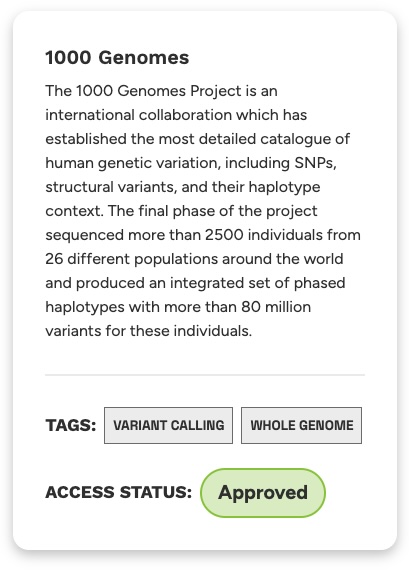
If you do not yet have access, click the Request Access button to submit your data access request. Next, please notify Jeremy Adams (jeremy.adams@ga4gh.org) directly by email to expedite your approval (Jeremy is currently acting as the primary data custodian for the live instance of the reference cloud).
Obtaining DRS IDs
DRS acts strictly as a data access API. When a researcher has a specific DRS ID, they may provide that ID to the DRS API to obtain file metadata as well as access methods to download the file. However, DRS is not a discovery API, meaning that it does not provide any way for researchers to search for new DRS IDs. Typically, DRS ID discovery is handled by other GA4GH APIs, such as Beacon or Data Connect (this will be explored in future demos).
Fortunately, the reference cloud has a built-in way to discover DRS IDs. Navigate to the DRS page and select 1000 Genomes from the dropdown menu to render a table of DRS IDs. Each row represents all DRS Objects associated with the exome sequencing files for a single individual (BAM, BAI, CRAM, CRAI, etc).
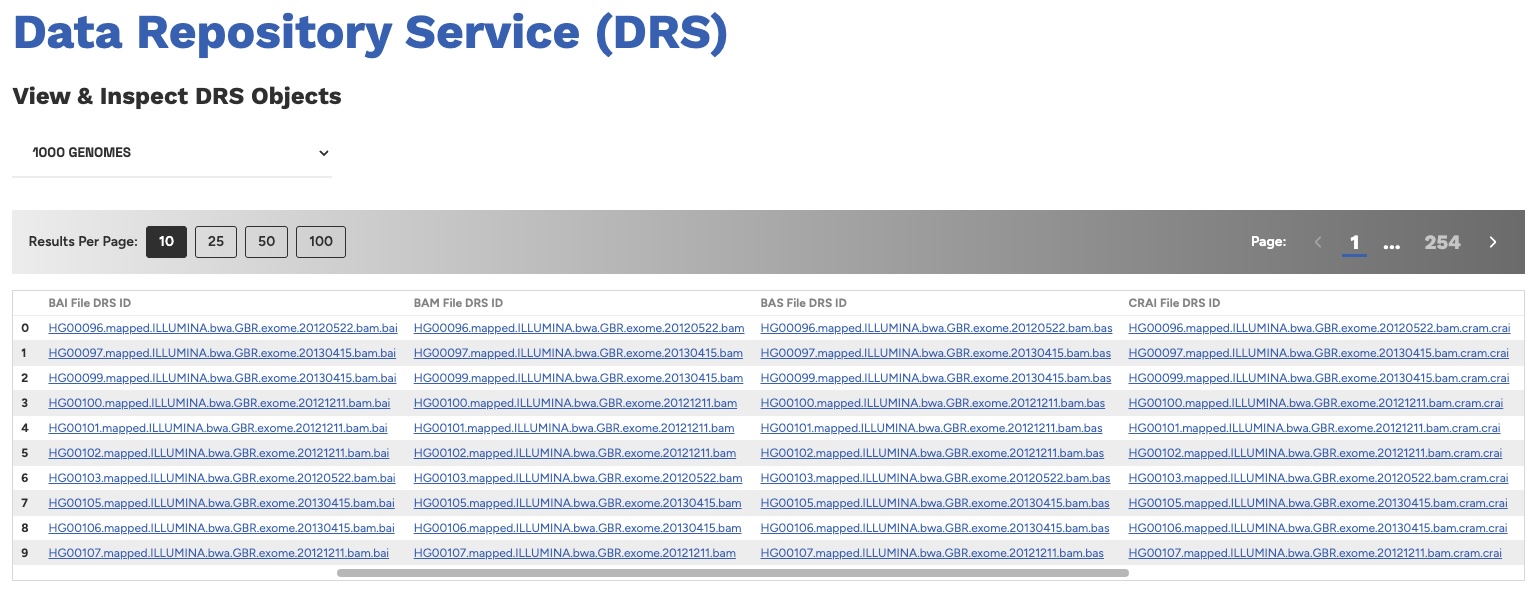
In the next step, we will supply some of these IDs to the DRS API to obtain metadata and access methods for each file. Please keep the table of DRS IDs open in your browser as we will refer back to it.
DRS Part 1: Locating the DRS API and Service Info
To begin, select one DRS ID from the table. We recommend choosing the ID for the BAM File in the first row, as that's what we'll be using for this section. That ID is:
HG00096.mapped.ILLUMINA.bwa.GBR.exome.20120522.bam
Now we're ready to begin using DRS. The base URL for the reference cloud's DRS API is:
https://refcloud.ga4gh.org/ga4gh/drs/v1
Confirm you can reach the DRS API by making a GET request to the Service Info endpoint:
- cURL
- HTTPS
curl -s -X GET https://refcloud.ga4gh.org/ga4gh/drs/v1/service-info | jq
GET https://refcloud.ga4gh.org/ga4gh/drs/v1/service-info HTTP/2
You should receive a response with a 200 OK status, and a JSON payload that looks like this:
{
  "id": "org.ga4gh.refcloud.drs",
  "name": "GA4GH Reference Cloud DRS Service",
  "type": {
    "group": "org.ga4gh",
    "artifact": "drs",
    "version": "1.5"
  },
  "description": "GA4GH reference implementation of the Data Repository Service (DRS) specification",
  "organization": {
    "name": "Global Alliance for Genomics and Health",
    "url": "https://ga4gh.org"
  },
  "contactUrl": "mailto:jeremy.adams@ga4gh.org",
  "documentationUrl": "https://github.com/ga4gh/ga4gh-reference-cloud",
  "createdAt": "2026-07-20T12:00:00Z",
  "updatedAt": "2026-07-20T12:00:00Z",
  "environment": "production",
  "version": "0.1.0",
  "drs": {
    "maxBulkLengthRequest": 10
  }
}
This payload provides basic metadata about the DRS service itself, including the service name, description, and the organization maintaining it. Most importantly, it indicates which version of the DRS specification that the reference cloud has implemented (version 1.5). This information provides researchers with a clear indication of what operations and request types the service supports!
Note: Service Info is another GA4GH specification that provides standardized metadata about running web services. All GA4GH API specifications (i.e. DRS, WES, TRS, Beacon, refget, htsget, RNAget, etc.) have implemented the Service Info standard. This allows GA4GH to maintain a registry of standardized services around the world, supporting a decentralized, federated network of systems.
DRS Part 2: Authorization Info
Now let's make an API call to the DRS API's /objects/{objectId} endpoint using our selected DRS ID of HG00096.mapped.ILLUMINA.bwa.GBR.exome.20120522.bam:
- cURL
- HTTPS
curl -i -s -X GET https://refcloud.ga4gh.org/ga4gh/drs/v1/objects/HG00096.mapped.ILLUMINA.bwa.GBR.exome.20120522.bam
GET https://refcloud.ga4gh.org/ga4gh/drs/v1/objects/HG00096.mapped.ILLUMINA.bwa.GBR.exome.20120522.bam HTTP/2
You should see a returned status of 401 Unauthorized, indicating that our request failed because we did not provide any authorization token. Fortunately, DRS provides an Authorization Info endpoint that informs us how to obtain the auth token.
Instead of submitting a GET request, submit an OPTIONS request to the same URL, i.e.
- cURL
- HTTPS
curl -s -X OPTIONS https://refcloud.ga4gh.org/ga4gh/drs/v1/objects/HG00096.mapped.ILLUMINA.bwa.GBR.exome.20120522.bam | jq
OPTIONS https://refcloud.ga4gh.org/ga4gh/drs/v1/objects/HG00096.mapped.ILLUMINA.bwa.GBR.exome.20120522.bam HTTP/2
You should receive the following response payload:
{
  "drs_object_id": "HG00096.mapped.ILLUMINA.bwa.GBR.exome.20120522.bam",
  "supported_types": [
    "BearerAuth",
    "PassportAuth"
  ],
  "passport_auth_issuers": [
    "https://refcloud.ga4gh.org"
  ],
  "bearer_auth_issuers": [
    "https://refcloud.ga4gh.org"
  ]
}
Our request didn't return the DRS Object itself, but rather the Authorization Info controlling access to the DRS Object we are interested in. The response tells us 2 things:
- We can use either
BearerAuthorPassportAuthauthorization methods to obtain the DRS Object - In both cases, the DRS API only trusts JWT tokens that have an issuer of
https://refcloud.ga4gh.org
This means we have to obtain our authorization token from https://refcloud.ga4gh.org to access the DRS Object. Visit the Reference Cloud's "View Passport Token" page and click the Copy button to copy the passport token to your clipboard. We will use this token for the remainder of the demo.
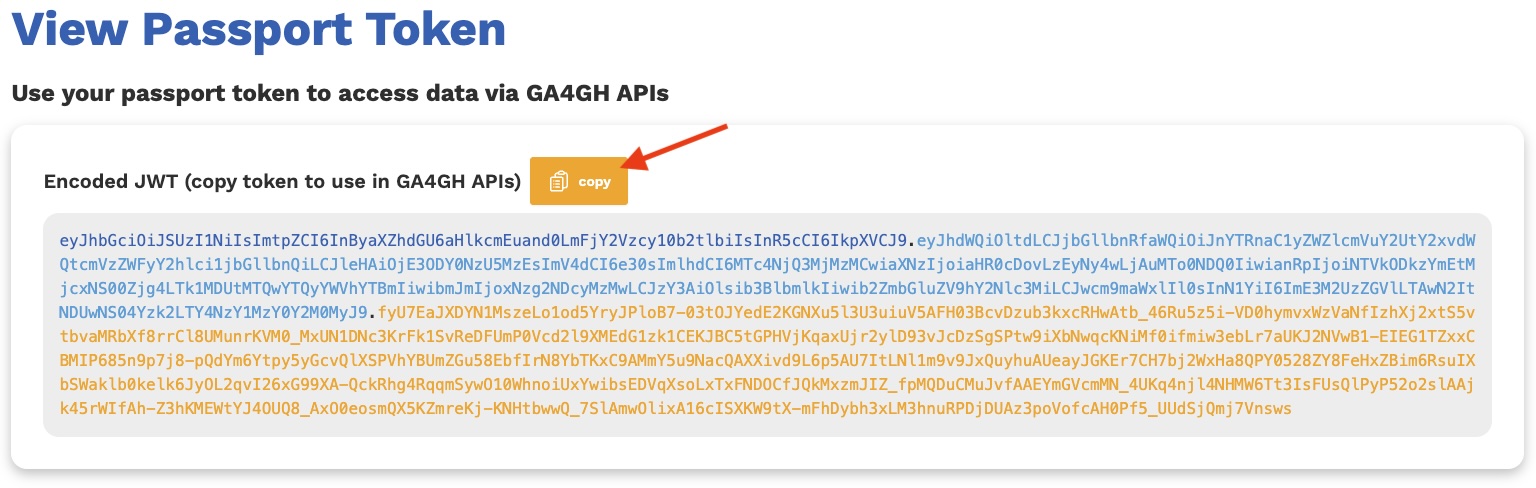
Note: If you are running through this demo using curl, you can even set your passport token to an environment variable in your terminal:
export PASSPORT_TOKEN="<your_passport_token>"
DRS Part 3: Single-Object Requests
Bearer Auth Method
Now let's retry our original GET request, except this time we will supply our Passport token as a standard OAuth 2.0 Bearer token.
- cURL
- HTTPS
curl -s -X GET "https://refcloud.ga4gh.org/ga4gh/drs/v1/objects/HG00096.mapped.ILLUMINA.bwa.GBR.exome.20120522.bam" \
  -H "Authorization: Bearer ${PASSPORT_TOKEN}" | jq
GET https://refcloud.ga4gh.org/ga4gh/drs/v1/objects/HG00096.mapped.ILLUMINA.bwa.GBR.exome.20120522.bam HTTP/2 Authorization: Bearer <your_passport_token>
You should receive a response with a status of 200 OK, and with a payload that represents the DRS Object:
{
  "id": "HG00096.mapped.ILLUMINA.bwa.GBR.exome.20120522.bam",
  "name": "HG00096.mapped.ILLUMINA.bwa.GBR.exome.20120522.bam",
  "self_uri": "drs://refcloud.ga4gh.org/HG00096.mapped.ILLUMINA.bwa.GBR.exome.20120522.bam",
  "size": 9196950908,
  "created_time": "2015-05-13T07:30:44",
  "updated_time": "2015-05-13T07:30:44",
  "version": "v1",
  "mime_type": "application/octet-stream",
  "checksums": [
    {
      "checksum": "9a835311cdd5482fd7915590c88cd65b-69",
      "type": "etag"
    }
  ],
  "access_methods": [
    {
      "type": "https",
      "access_url": {
        "url": "https://1000genomes.s3.us-east-1.amazonaws.com/phase3/data/HG00096/exome_alignment/HG00096.mapped.ILLUMINA.bwa.GBR.exome.20120522.bam"
      },
      "cloud": "aws",
      "region": "us-east-1",
      "available": true
    }
  ],
  "description": "HG00096 whole-exome bam file",
  "aliases": [
    "HG00096 whole-exome bam file"
  ]
}
Excellent work! You have just obtained your first DRS Object via the DRS API!
Passport Auth Method
We can also obtain this DRS Object using the Passport Auth method, which involves making a POST request to the same URL. Instead of providing the passport token in an Authorization header, we will provide it in the request body itself, as the single entry in the passports array:
- cURL
- HTTPS
curl -s -X POST "https://refcloud.ga4gh.org/ga4gh/drs/v1/objects/HG00096.mapped.ILLUMINA.bwa.GBR.exome.20120522.bam" \
  -H "Content-Type: application/json" \
  -d "{\"passports\":[\"${PASSPORT_TOKEN}\"]}" | jq
POST https://refcloud.ga4gh.org/ga4gh/drs/v1/objects/HG00096.mapped.ILLUMINA.bwa.GBR.exome.20120522.bam HTTP/2
Content-Type: application/json

{"passports":["<your_passport_token>"]}
You should receive a response containing the exact same DRS Object payload.
Note: DRS supports both GET (BearerAuth) and POST (PassportAuth) methods for obtaining a single DRS Object. The POST method allows for very large passport tokens which can sometimes exceed the allowed length of an HTTP Authorization header. In our case, we can use either method to access the same DRS Object.
Accessing Raw Files
We have now seen that a request to the /objects/{objectId} endpoint returns basic metadata for a single DRS Object, such as object id, name, description, checksums, and file size. But we can also use this reponse payload to obtain the raw file itself.
Within the DRS Object response is a property called access_methods, which contains an array of DRS Access Methods. Each access method contains a URL (and potential authorization headers) for fetching the raw file. Researchers can use their preferred access method to fetch the data and stage it for an analysis. In our case, the DRS Object contains only 1 access method:
...
"access_methods": [
  {
    "type": "https",
    "access_url": {
      "url": "https://1000genomes.s3.us-east-1.amazonaws.com/phase3/data/HG00096/exome_alignment/HG00096.mapped.ILLUMINA.bwa.GBR.exome.20120522.bam"
    },
    "cloud": "aws",
    "region": "us-east-1",
    "available": true
  }
],
...
The access method above indicates that the raw file is sitting in an AWS S3 bucket in the us-east-1 region and can be accessed via https. Since no authorization headers are provided, we do not need to supply any to fetch the file.
To fetch the file, simply make a request to the provided URL and save the output as a file:
- cURL
- HTTPS
curl -X GET \
  -o HG00096.mapped.ILLUMINA.bwa.GBR.exome.20120522.bam \
  "https://1000genomes.s3.us-east-1.amazonaws.com/phase3/data/HG00096/exome_alignment/HG00096.mapped.ILLUMINA.bwa.GBR.exome.20120522.bam"
GET https://1000genomes.s3.us-east-1.amazonaws.com/phase3/data/HG00096/exome_alignment/HG00096.mapped.ILLUMINA.bwa.GBR.exome.20120522.bam HTTP/2
Great! You have now used the DRS API to fetch not only DRS Object metadata, but the underlying file itself!
DRS Part 4: Bulk-Object Requests
Now we'll explore how we can use the bulk-object endpoints to fetch multiple DRS Objects in a single request. Let's say we're interested in fetching both the BAM and CRAM DRS Objects for individual HG00096, as well as associated indexes. The DRS IDs for all 4 files are:
HG00096.mapped.ILLUMINA.bwa.GBR.exome.20120522.bamHG00096.mapped.ILLUMINA.bwa.GBR.exome.20120522.bam.baiHG00096.mapped.ILLUMINA.bwa.GBR.exome.20120522.bam.cramHG00096.mapped.ILLUMINA.bwa.GBR.exome.20120522.bam.cram.crai
DRS provides 2 endpoints related to bulk requests:
- Bulk authorization info Request
- Bulk DRS Object Request
Let's begin with the Bulk authorization info request, which provides authorization info for each of our DRS IDs:
- cURL
- HTTPS
curl -s -X OPTIONS "https://refcloud.ga4gh.org/ga4gh/drs/v1/objects" \
  -H "Content-Type: application/json" \
  -d "{\"bulk_object_ids\":[\"HG00096.mapped.ILLUMINA.bwa.GBR.exome.20120522.bam\",\"HG00096.mapped.ILLUMINA.bwa.GBR.exome.20120522.bam.bai\",\"HG00096.mapped.ILLUMINA.bwa.GBR.exome.20120522.bam.cram\",\"HG00096.mapped.ILLUMINA.bwa.GBR.exome.20120522.bam.cram.crai\"]}" | jq
OPTIONS https://refcloud.ga4gh.org/ga4gh/drs/v1/objects HTTP/2
Content-Type: application/json

{"bulk_object_ids":["HG00096.mapped.ILLUMINA.bwa.GBR.exome.20120522.bam","HG00096.mapped.ILLUMINA.bwa.GBR.exome.20120522.bam.bai","HG00096.mapped.ILLUMINA.bwa.GBR.exome.20120522.bam.cram","HG00096.mapped.ILLUMINA.bwa.GBR.exome.20120522.bam.cram.crai"]}
You should receive the following response payload:
{
  "summary": {
    "requested": 4,
    "resolved": 4,
    "unresolved": 0
  },
  "unresolved_drs_objects": [
    {
      "error_code": 404,
      "object_ids": []
    }
  ],
  "resolved_drs_objects": [
    {
      "drs_object_id": "HG00096.mapped.ILLUMINA.bwa.GBR.exome.20120522.bam",
      "supported_types": [
        "BearerAuth",
        "PassportAuth"
      ],
      "passport_auth_issuers": [
        "https://refcloud.ga4gh.org"
      ],
      "bearer_auth_issuers": [
        "https://refcloud.ga4gh.org"
      ]
    },
    {
      "drs_object_id": "HG00096.mapped.ILLUMINA.bwa.GBR.exome.20120522.bam.bai",
      "supported_types": [
        "BearerAuth",
        "PassportAuth"
      ],
      "passport_auth_issuers": [
        "https://refcloud.ga4gh.org"
      ],
      "bearer_auth_issuers": [
        "https://refcloud.ga4gh.org"
      ]
    },
    {
      "drs_object_id": "HG00096.mapped.ILLUMINA.bwa.GBR.exome.20120522.bam.cram",
      "supported_types": [
        "BearerAuth",
        "PassportAuth"
      ],
      "passport_auth_issuers": [
        "https://refcloud.ga4gh.org"
      ],
      "bearer_auth_issuers": [
        "https://refcloud.ga4gh.org"
      ]
    },
    {
      "drs_object_id": "HG00096.mapped.ILLUMINA.bwa.GBR.exome.20120522.bam.cram.crai",
      "supported_types": [
        "BearerAuth",
        "PassportAuth"
      ],
      "passport_auth_issuers": [
        "https://refcloud.ga4gh.org"
      ],
      "bearer_auth_issuers": [
        "https://refcloud.ga4gh.org"
      ]
    }
  ]
}
This response indicates that the reference cloud server successfully resolved all 4 of our requested DRS IDs. As expected, each DRS ID is authorized through a Passport JWT that is issued by https://refcloud.ga4gh.org, which can be passed via bearer auth or passport auth methods.
Note: For the reference cloud, all DRS Objects will be access controlled by an issuer of https://refcloud.ga4gh.org. However, more complex DRS implementations may accept tokens from multiple issuers. The authorization info endpoint is therefore meant to clearly indicate which Passport JWT Issuer controls access to which DRS Objects in a distributed environment.
Try it out: You can rerun the above request using bogus DRS IDs to see what will happen. For example, try rerunning the request with DRS IDs 1, 2, 3, and 4. What happens?
Now hit the bulk object endpoint to request multiple DRS Objects at once. Remember to provide your passport token in the request body as we are now requesting access to controlled data:
- cURL
- HTTPS
curl -s -X POST "https://refcloud.ga4gh.org/ga4gh/drs/v1/objects" \
  -H "Content-Type: application/json" \
  -d "{\"passports\":[\"${PASSPORT_TOKEN}\"],\"bulk_object_ids\":[\"HG00096.mapped.ILLUMINA.bwa.GBR.exome.20120522.bam\",\"HG00096.mapped.ILLUMINA.bwa.GBR.exome.20120522.bam.bai\",\"HG00096.mapped.ILLUMINA.bwa.GBR.exome.20120522.bam.cram\",\"HG00096.mapped.ILLUMINA.bwa.GBR.exome.20120522.bam.cram.crai\"]}" | jq
POST https://refcloud.ga4gh.org/ga4gh/drs/v1/objects HTTP/2
Content-Type: application/json

{"passports":["<your_passport_token>"],"bulk_object_ids":["HG00096.mapped.ILLUMINA.bwa.GBR.exome.20120522.bam","HG00096.mapped.ILLUMINA.bwa.GBR.exome.20120522.bam.bai","HG00096.mapped.ILLUMINA.bwa.GBR.exome.20120522.bam.cram","HG00096.mapped.ILLUMINA.bwa.GBR.exome.20120522.bam.cram.crai"]}
Here is a snippet of the response you should receive:
{
  "summary": {
    "requested": 4,
    "resolved": 4,
    "unresolved": 0
  },
  "unresolved_drs_objects": [
    {
      "error_code": 404,
      "object_ids": []
    },
    {
      "error_code": 403,
      "object_ids": []
    }
  ],
  "resolved_drs_objects": [
    {
      "id": "HG00096.mapped.ILLUMINA.bwa.GBR.exome.20120522.bam",
      "name": "HG00096.mapped.ILLUMINA.bwa.GBR.exome.20120522.bam",
      "self_uri": "drs://refcloud.ga4gh.org/HG00096.mapped.ILLUMINA.bwa.GBR.exome.20120522.bam",
      "size": 9196950908,
      "created_time": "2015-05-13T07:30:44",
      "updated_time": "2015-05-13T07:30:44",
      "version": "v1",
      "mime_type": "application/octet-stream",
      "checksums": [
        {
          "checksum": "9a835311cdd5482fd7915590c88cd65b-69",
          "type": "etag"
        }
      ],
      "access_methods": [
        {
          "type": "https",
          "access_url": {
            "url": "https://1000genomes.s3.us-east-1.amazonaws.com/phase3/data/HG00096/exome_alignment/HG00096.mapped.ILLUMINA.bwa.GBR.exome.20120522.bam"
          },
          "cloud": "aws",
          "region": "us-east-1",
          "available": true
        }
      ],
      "description": "HG00096 whole-exome bam file",
      "aliases": [
        "HG00096 whole-exome bam file"
      ]
    },
    ...
  ]
}
The response first provides a summary, indicating that all 4 DRS Objects were resolved. Then, under the resolved_drs_objects property, the DRS Objects we requested are listed in an array. From here we can inspect each DRS Object or even use the provided access_methods to fetch the raw data for each file!
Try it out: How does the response change if you make a bulk object request without a passport token? Try removing the passports property from the request body and rerunning the request.
Try it out: Try adding more DRS IDs to your bulk object request. Is there any point where the server refuses to process your request because you've submitted too many IDs at once? How do you find out the maximum number of DRS IDs you can submit in a single request? (Hint: check service info!)
Conclusion
In this demo, you learned how to:
- use the Service Info endpoint to learn more about a DRS service
- use the Authorization Info endpoints to discover which passport tokens and issuers control access to various DRS Objects
- use the 2 Single-Object endpoints (Bearer Auth and Passport Auth) to obtain DRS Object metadata
- use the Bulk-Object endpoint to access multiple DRS Objects in a single request
- use Access Methods to fetch raw file data
You now have a solid grasp of the DRS API specification and how it can be used to access genomic file data and metadata. Excellent work!