Requesting Access to Datasets
The concept of Datasets plays an important role in how data access is handled for end researchers. A dataset represents a grouping of data objects (e.g. files or database records) that all require the same level of permission to access. In essence, when a researcher obtains access to a dataset, they gain access to all data objects within that dataset. They will be able to obtain the data via any of the supported APIs for that data type.
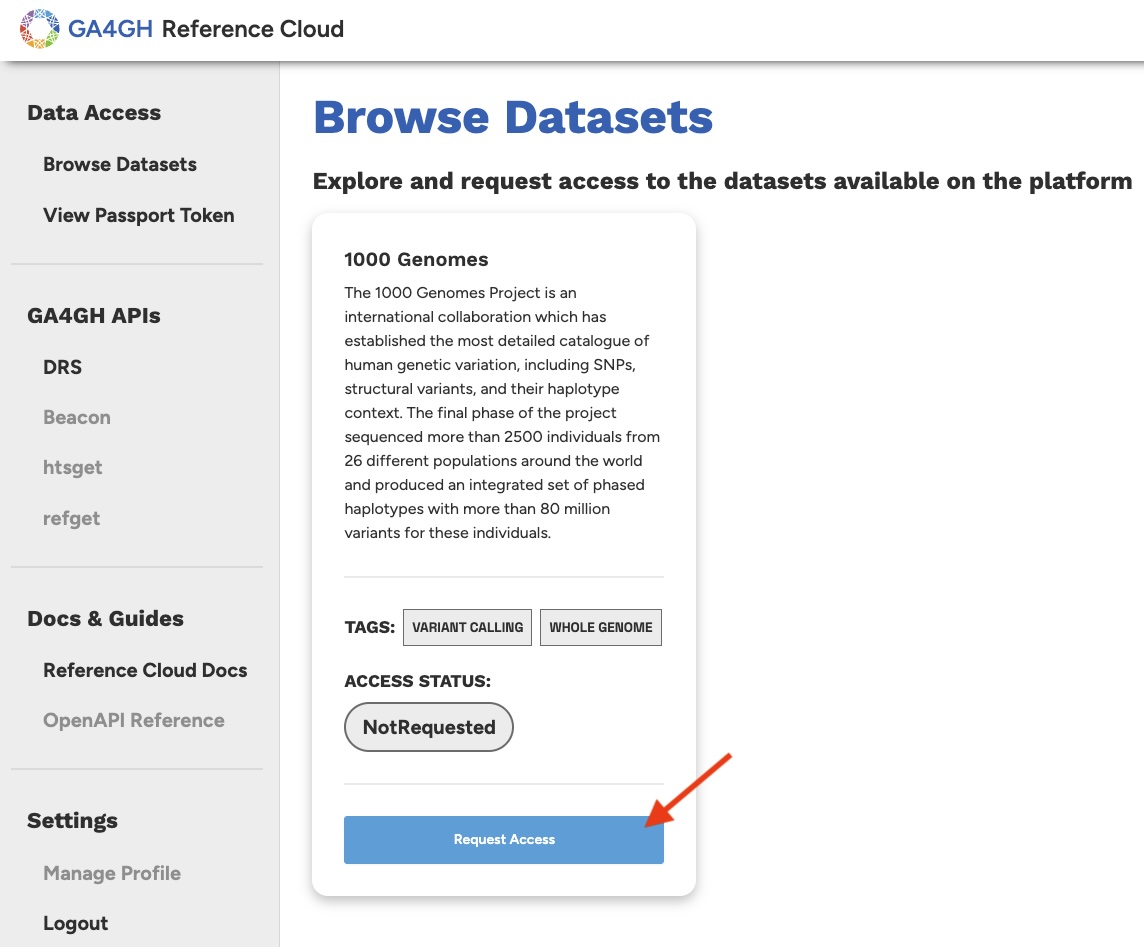
To view the available datasets on the platform, navigate to the Browse Datasets page. From here you will be able to request access to any datasets of interest. Starting out, you will notice that you do not have access to any of the datasets. This is because you have not requested access to any, as indicated by the Access Status: Not Requested badges.
To request access to a dataset, simply click on the Request Access button on the dataset card of interest. This represents a Data Access Request (DAR). In an environment with more sensitive data, the DAR process would be more involved, but since we are only working with public data, a simple DAR process is sufficient.
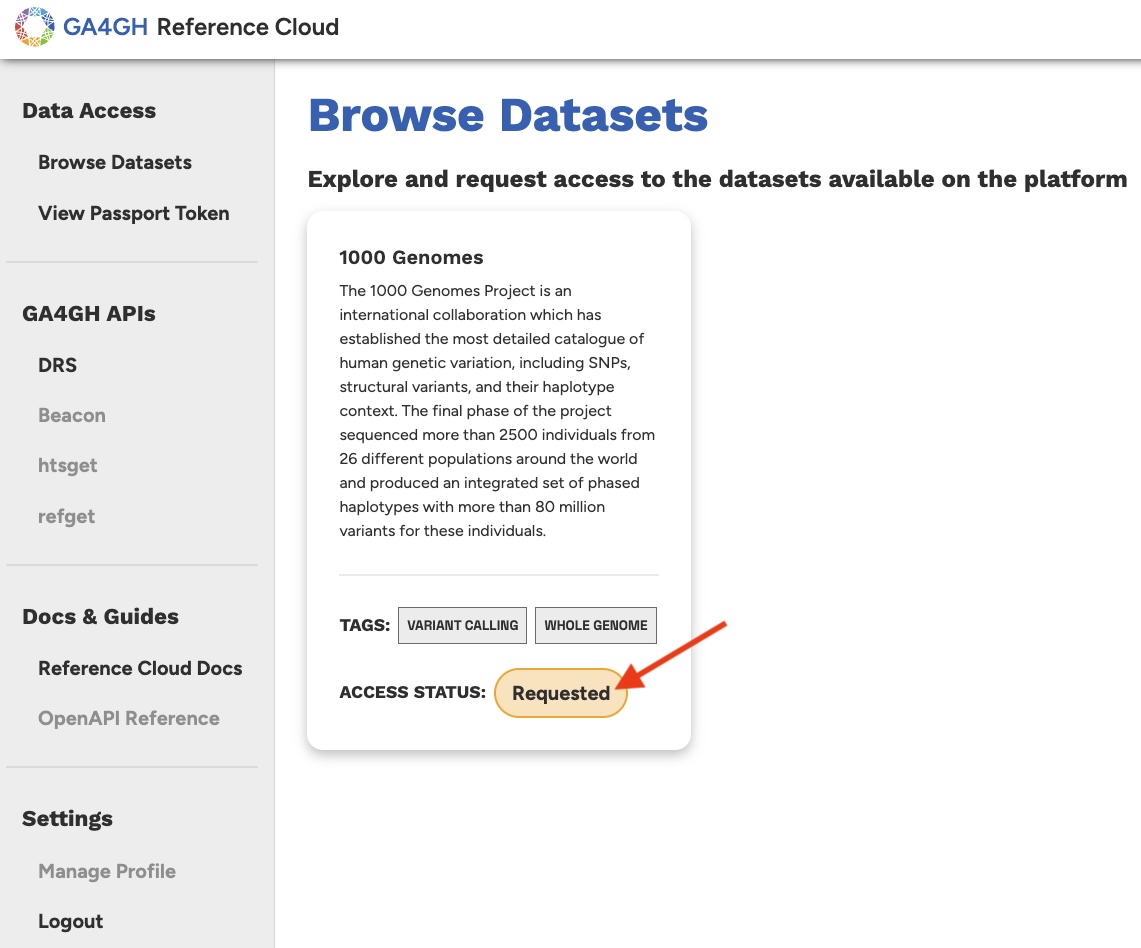
After clicking the Request Access button, your access status will update to Requested. This indicates that your request is in a pending state and must be reviewed by the data steward (which in this case is the GA4GH Tech Team).
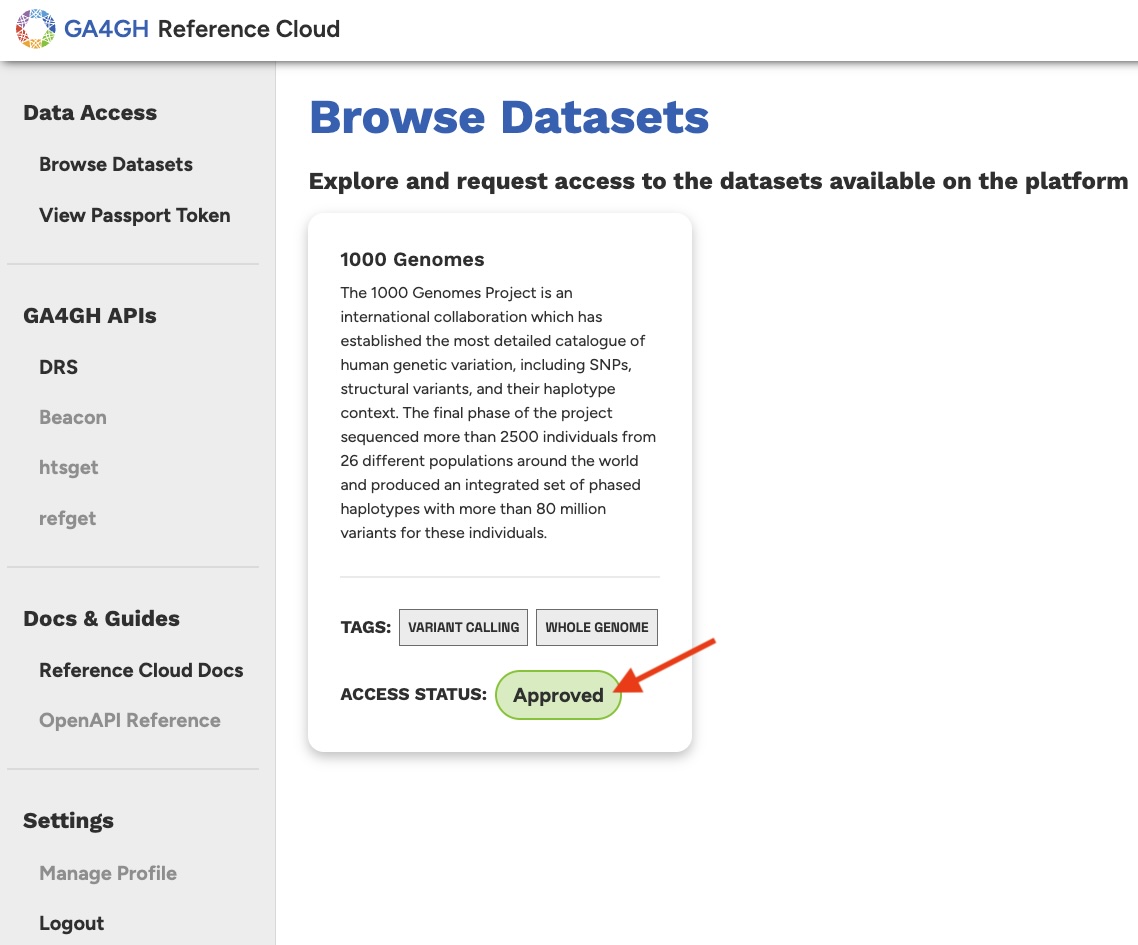
After some time, the data steward will update your status to Approved. This action confers a Visa to your user profile, which will in turn allow you to access the data within the specified dataset.
Note: If you would like to expedite your approval to any given dataset, please feel free to notify Jeremy Adams (jeremy.adams@ga4gh.org) directly by email. Jeremy is currently acting as the primary data custodian for the live instance of the reference cloud. We will eventually develop a notification framework so that data custodians are automatically notified of new DARs, and researchers are automatically notified when their DARs are processed.
Excellent! You have now requested and obtained access to your first dataset. Next, we'll discuss how to obtain your Passport Token so that you may begin requesting data from the platform.